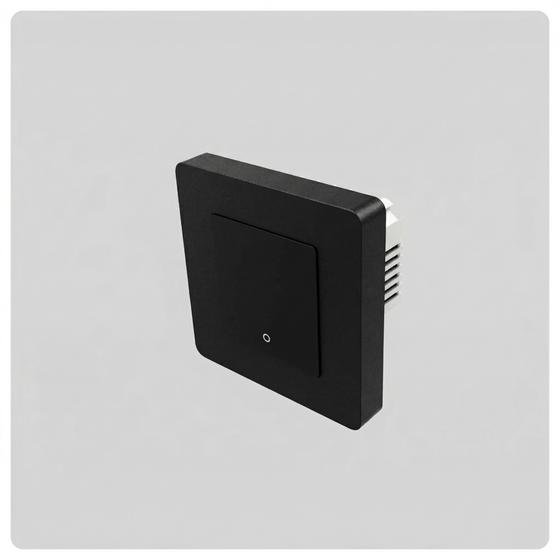
← Back to the HALO rangeMains dimming module

HALO by VIVÖE

Smart Dimming Module - Inline Dimmer for Smart Lighting Control

Add smart dimming to a compatible existing mains lighting circuit. Keep the module out of sight and control brightness through HALO.

LEDSpace rated 4.76/5 · 2463 reviews
  • Compatible dimmable loads only
  • Mains installation + neutral
  • Compatible Zigbee hub needed
    Already have a Zigbee hub?

    You do not have to buy a HALO hub if your existing Zigbee hub supports this device. Check the exact model: pairing, controls, scenes, voice features and automations can vary.

    VIVÖE is the supported app when using a HALO hub or gateway. A third-party hub uses its own supported app and integrations.

    Explore HALO hubs & gateways ↗Check my hub with the team ↗
£34.99inc. VAT

In stock

Product code: HALO-SDM

Product compliance Conforms to UKCA / CE standards
UKCA and CE marking
2-year product warranty
Watch The DIY Guy
Sense presence

Choose PIR for arrivals and pass-through spaces, or mmWave presence sensing for smaller movements while sitting or working. Position and configure the sensor for the room.

Explore sensors ↗
Local control

A powered compatible hub coordinates the Zigbee network. Supported mains-powered devices can relay signals to extend it; battery sensors do not act as repeaters. Core local control does not need a monthly subscription.

Compare online & offline ↓
Keep your lights

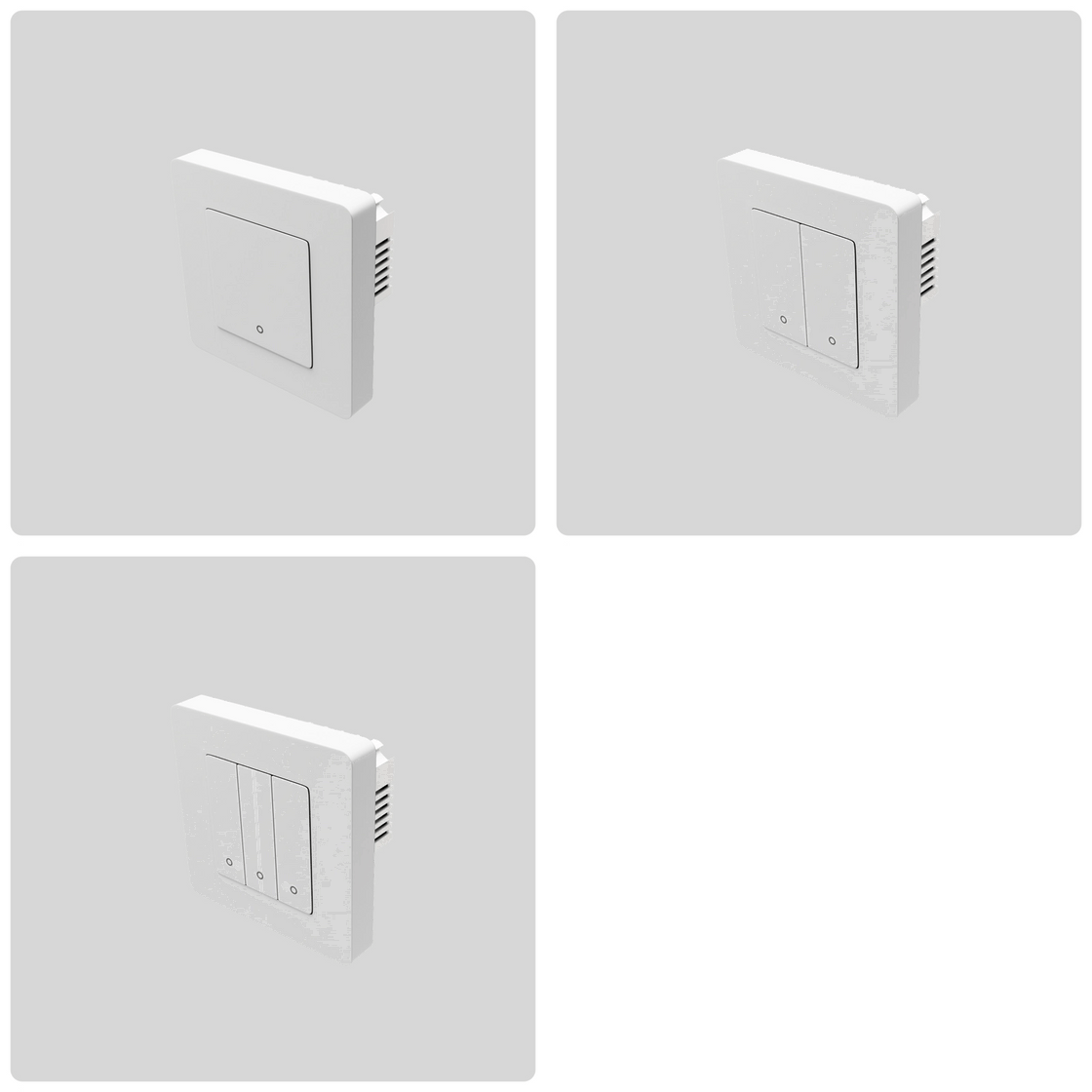
Switches, hidden dimmers and plug-in controls can bring suitable existing lighting into HALO. Match the device to the load, wiring and space available. Mains work needs appropriate electrical installation.

Explore switches & controls ↗
Grow room by room

Begin with a compatible Zigbee hub and a useful room upgrade, then expand. An existing supported hub may be suitable; there is no need to buy a HALO-branded hub automatically.

Explore starter bundles ↗

Mains dimming module

Before you buy

Ask your installer to confirm the lamp or driver compatibility, load rating, wiring and space for the module. This is a mains dimmer; low-voltage LED strip needs the appropriate LED interface and power supply.

A useful way to start

Combine a compatible dimmable lighting circuit with HALO scenes or a sensor routine. Keep the existing fitting only where its load and driver are suitable for this dimmer.

Specifications, contents & downloads

Overview

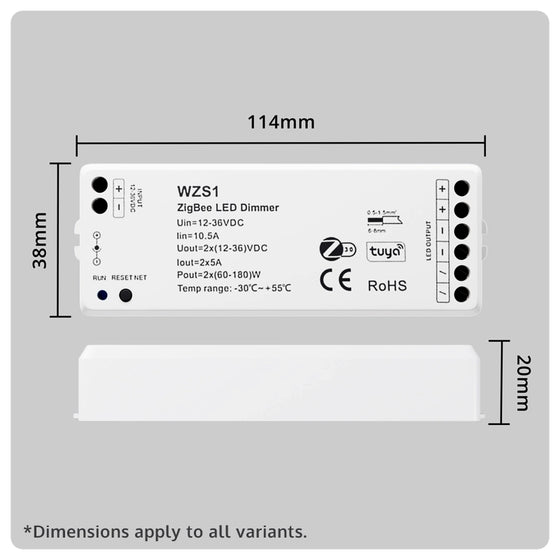
The HALO Smart Dimming Module is a compact, in-line dimmer that upgrades your existing mains powered lighting into a fully smart, dimmable solution. Designed to fit neatly behind wall switches or inside ceiling roses, it allows you to bring traditional lights into the Tuya ecosystem, making them part of your connected home, without changing a single fitting.

Key compatibility

Works with: Compatible 100–240V AC dimmable lighting circuits and HALO backbones from the Gateway & Hubs collection.
Requires: A HALO Zigbee Gateway, Hub Mini or Hub Max, plus a suitable mains lighting circuit.
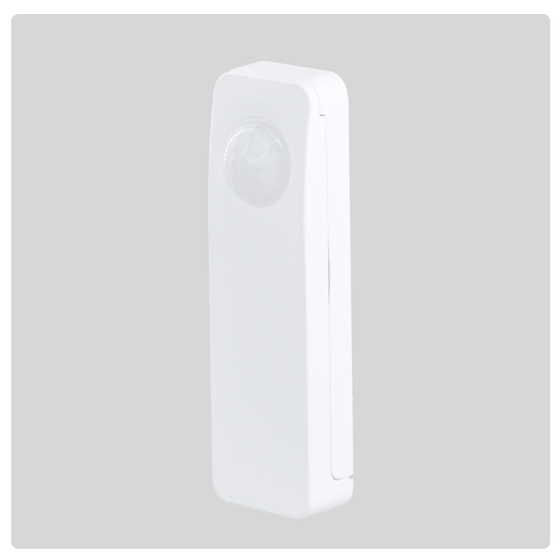
Best paired with: The HALO Smart PIR Sensor or HALO 240V Presence Sensor for automatic dimming based on movement or occupancy.
Control type: Inline Zigbee dimming control for smart mains lighting.
Good to know: This module is retrofit-friendly and is best suited to compatible dimmable loads rather than non-dimmable fittings.

Key Features

  • Smart Dimming Control: Instantly add smooth, app based dimming to traditional mains powered lighting. Adjust brightness precisely to create the perfect ambience, all from your phone, voice control or the HALO products.
  • App + Voice Control: Works with the VIVOE app for full control from anywhere, with seamless integration with Amazon Alexa and Google Assistant for hands-free convenience.

Download Apple iOS smartphone app, here.

Download Android smartphone app, here.

  • Upgrade Without Rewiring: Designed for retrofitting into existing lighting circuits. Simply install behind a switch or in a pattress box to bring smart functionality to your current lights. Fits easily into standard UK or EU back boxes, light fittings, or ceiling voids thanks to its compact form factor.
  • Works with the HALO Ecosystem: Fully integrates with the HALO range, including presence sensors, switches, smart hubs, and controllers for a unified smart home experience.
  • Smooth Dimming Performance: Offers 256 levels of brightness adjustment, ensuring flicker-free and smooth dimming from 0% to 100%. Tailor the lighting to suit any mood or activity with precision.

The Halo Smart Dimming Module is the perfect way to bring smart lighting control to any space, quietly, powerfully, and beautifully integrated into your smart home.

Specifications

HALO Smart Dimming Module – Technical Specification
Specification Details
Power input 100–240 V AC
Output voltage 100–240 V AC (switched / dimmed)
Output current Max. 1.5 A
Output power 150–360 W (depending on mains voltage)
Wireless protocol Zigbee 3.0
Control app VIVOE app
Voice assistants Works with Amazon Alexa and Google Assistant
Dimming range 0–100 %
Operating temperature –20 to +55 °C
Zigbee / hub requirement Requires a HALO Hub, HALO Zigbee Gateway or compatible Zigbee 3.0 hub
Warranty 2-year warranty included
Certifications CE, UKCA

What’s in the Box

  • HALO Smart Dimming Module*1

Setup & downloads

Get the VIVÖE app ↗

The DIY Guy × LEDSpace

I Installed The Best Smart Lighting System and It's Insane!

See the smart range working together in a real home. Jump to a chapter, then explore the products and installation guidance.

The DIY Guy × LEDSpace

A project example from The DIY Guy. Follow the current product specification and installation instructions when choosing your hardware.

Brand partnership · Ad disclosure

Products featured may be gifted by LEDSpace. Purchases may generate commission for the video creator if accessed via their original video link.

Why HALO uses Zigbee

Internet down? Keep the local control.

Your lighting should feel at home, not live entirely in the cloud. HALO devices communicate over a local Zigbee mesh, so compatible control and saved local routines can keep working when the internet drops.

Local routines

Supported scenes saved to the hub can run without the internet.

Fewer Wi-Fi clients

Zigbee devices use their own mesh rather than each joining your Wi-Fi.

No core subscription

No monthly HALO fee for everyday setup and control.

App choice & support

VIVÖE is the app our team supports directly.

A cloud-dependent Wi-Fi setup

A trip through the cloud

Devices join the Wi-Fi router. In this example, a smart-switch command travels through an internet service before reaching the light.

Router + internet + cloud service

CLOUDREMOTE SERVICES WI-FIROUTER Light Switch Sensor Plug

HALO with a compatible Zigbee hub

Control stays close to home

Devices communicate locally through the hub and Zigbee mesh. Internet services add remote access, app services and supported integrations.

Local Zigbee route + online services

CLOUDREMOTE SERVICES ROUTER HALOHUB Light Switch Sensor Plug

Internet online: the example lights are off. Press the switch to turn them on.

What still needs the internet? Remote access, cloud voice assistants, account services, push notifications and cloud-based conditions or scenes. Local operation assumes power stays on, devices remain paired and the routine has already been saved locally by a supported hub.

Wi-Fi itself is not the same as cloud dependence: some Wi-Fi products support local control too. Zigbee also shares the 2.4GHz band, so placement and interference still matter.

Prefer Tuya or Smart Life? Compatible HALO setups can use these apps too. We recommend VIVÖE for direct LEDSpace support. Apps, integrations and local features depend on the exact hub and devices.

More than remote control

Built in the app. Backed by the hub.

Bring triggers, scenes and device actions together in VIVÖE. Explore how a sensor, a schedule or one tap can shape a room, with compatible HALO and Tuya devices in the same supported setup.

01Motion & presence

PIR and ceiling presence sensors can start a routine when the room is occupied.

02Schedules & daylight

Choose recurring times, sunrise or sunset where your setup supports them.

03One-tap scenes

Bring several compatible devices together in one scene, rather than changing each separately.

VIVÖE · AutomationIllustrated example
IF

Someone arrives

A paired sensor detects motion or presence.

THEN

Light the way

Turn on a suitable hallway light or a lamp on a smart plug.

A supported sensor-to-device routine saved on the same hub can run locally. Detection and timing depend on your configuration.

Switches & dimmers

Switch suitable lights, dim compatible circuits and control plug-in lamps.

Explore switches & controls ↗
LED strips & scenes

Use the matching HALO interface for brightness, white temperature or colour, depending on the strip and interface.

Explore LED strip lights ↗
Grow with compatible devices

Check exact-model and hub support before adding Tuya ecosystem products to the same routines.

Check my existing setup ↗

These are examples, not pre-installed routines or an exact app screenshot. Create and test your own automation in the supported app. A presence sensor, smart plug, dimmer and LED interface each do different jobs; choose the hardware that supports the actions you need.

HALO + LEDSpace LED strip

Make your LED strip project smart

Bring kitchen, shelving and feature lighting into your scenes. Pair a compatible LEDSpace strip with a HALO Zigbee LED Strip Interface and the correct DC power supply.

Strip, interface and power supply are sold separately. Check the selected interface ratings. Addressable/pixel strips need a different controller; the interface and power supply need a suitable dry indoor location.

Loved by DIYers. Trusted by trade professionals.

From domestic projects to large-scale commercial spaces

From verified reviews to real customer installs, discover how homeowners, installers and trade professionals use LEDSpace.
Google Business
5/5

James Gordon

Emailed these guys with a couple of pictures/measurements... and BOSH. All sorted for me. Thanks gents. Also I messed up after deleivery and these guys really looked a...

View source review
Judge.me
5/5

Murdo Macaskill

They have a really easy to navigate website which has all the components required to make up your LED needs and if you’re not sure of what is compatible, they have a k...

View source review
Judge.me
5/5

Marc Draper

Now on my third order with LED Space. Always easy to deal with, fast delivery and excellent backup and advice from the team.

View source review
Judge.me
5/5

Jack

Great experience from start to end. Easy to create a bundle, and it came with all the right parts to build out a smart little setup. I went for the Zigbee option so I ...

View source review
Google Business
5/5

Heeren Parmar

Excellent delivery service and happy with product. It’s given my home cinema the wow factor… and I’ve paired this with Amazon Alexa so it’s voice activated using a sma...

View source review
Google Business
5/5

Paul Clarke

I'd highly recommend these lights and the company due to the product and service being good.

I recently converted half my garage into a bar and whilst i didn't utiliz...

View source review
Google Shopping
5/5

A reviewer

Absolutely amazing company to buy from! I wasn't sure what I needed to buy and the team there were so responsive and helpful. Ordered in the afternoon and my items arr...

View source review
Google Shopping
5/5

A reviewer

Excellent service from LEDSpace. Website structured to make the ordering process very easy, unlike a lot of others. Prices are very competitive even with a next day de...

View source review
Google Business
5/5

Troy Appleby-Walker

Great quality Blaq Aura lights. They really finish the wall off and the quality is perfect, Fast delivery! 10/10!!

View source review

Your HALO questions

Does this device work without a neutral connection? (no)

This product requires a mains Live and Neutral feed to operate.

Unfrotunately it cannot operate without a neutral connection.

Do I need a hub for this product?

You need a supported Zigbee hub for smart functions. This can be a HALO hub or gateway, or an existing compatible Zigbee hub. You do not need an additional HALO hub when your existing hub supports this device. Pairing, available features, apps and automations depend on your exact hub.

Explore HALO hubs & gateways · Check my hub with the team

What depth backbox do I need?

This product requires a 35mm backbox due to the depth of module.

We have spacers available here

Can I have a sensor and a switch at the same time?

Yes!

HALO can be configured such that any number of sensors or switches can control the same physical device.

Can I still have 2-Way or Intermediate switching?

Yes, but the HALO smart system works very differently to a traditional 2/3 way or intermediate switching system.

Within your HALO system, you would have one switch which is physically connected to and controlling the target fixture. Through the Vivoe app, you would then create an integration that synchronises that switch's status with your other smart switches. You can set this up such that any one switch can toggle the status of the target fixture.

Please see this Help Hub guide for in-depth instructions

How does the HALO Smart system work?

At the center of your system is the hub, which handles the connections to and between all other devices, such as sensors, dimmers, controllers and switches. The whole system is set up and controlled by our new Vivoe app.

Here you can set scenes, triggers, automations, and control every element of each connected device, from home or away.

What if my devices are far apart?

Not to worry! Our HALO system utilises the Zigbee Communication protocol, which turns every connected device into a 'link' in the chain - so instructions can 'hop' between devices.

If you have no other devices, then we have this handy USB powered Range Extender

Where can I get the Vivoe App?

Our app is available on the Apple App Store and Google Play Store

Can I set up different rooms or zones?

Yes! Use the Vivoe app to assign your devices to specifc rooms or locations.

There is an in-depth guide available here

How do I reset my system?

In the unlikely event you need to factory-reset your system, you can do so on a per-device basis through the Vivoe app.

Please refer to your device's instructions.

Can I use this to dim my existing spotlights?

As long as the device(s) you connect to this controller are mains-dimmable, you can manipulate the brightness of them through this controller and the HALO system

Can I use a remote control as well?

Unfortunately not, this product is compatible with the HALO Zigbee system only.

What is the warranty period on this product?

This product is covered by a 2 year warranty.

What happens if my WiFi stops working?

Existing basic HALO controls, including sensors and on/off operation, continue locally. Remote app access and cloud voice services need an internet connection. Reprogramming and changing scenes require internet access.

How do I add my devices to Alexa or Google Home?

You can link your Vivoe app account to Alexa or Google home, following the steps under the 'Me' section of the app.

How do I create a smart scene?

Use the Vivoe app to set up your devices, scenes and automations.

For more information, follow the guides here

How do I pair a new controller?

Every device is a little bit different.

Follow the guides here

Read this product’s FAQs in the Help Hub ↗

Reviews from LEDSpace customers

This product has no reviews yet. Here is feedback from across LEDSpace, including other products and shopping experiences.

LEDSpace rated 4.76/5 · 2463 reviews

Read all LEDSpace reviews ↗

Product reviews & questions

Read customer questions and answers, ask a question or write the first product review below.

Customer Reviews

Be the first to write a review
0%
(0)
0%
(0)
0%
(0)
0%
(0)
0%
(0)
Need help with this product? Click here.